Monday, January 10, 2011

How To Hide Shoutbox in Blogger


Shoutbox is a very useful widget for bloggers to communicate more easily. It also important widget for blogger to pay back a visit to the visitor's blog. But do you wanna hide your shoutbox  widget? You can do it by following this tutorial. You also can add another style of shoutbox appear, How To Make Floating and Click To Appear Shoutbox.


* Updated code : 9th september 2011 *

1. Go to your Dashboard >> Design >> Page Element >> Add a Gadget.
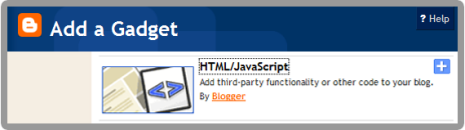
 

2. Paste this code below in it :
<style type="text/css">
    #gb{
    position:fixed;
    top:50px;
    z-index: 1000;
    }
    * html #gb{position:relative;}

    .gbtab{
    height:100px;
    width:30px;
    float:left;
    cursor:pointer;
    background:url('https://blogger.googleusercontent.com/img/b/R29vZ2xl/AVvXsEgiFtz4c2jIdCKIVhoN5TM2Vzn4saU-OBANhZq4b7du8zlUZ7BaGnNpuOzOol9QLpJiHUVYcS9Zt9NQTsMgXbPtRe3dWFVaApJHmbdnPHxkUVMJDX5HnUWHTuR4MyHN6G39cSXYrwix5Xc/') no-repeat;
    }
    .gbcontent{
    float:left;
    border:2px solid #666666;
    background:#F5F5F5;
    padding:10px;
    }
    </style>

    <script type="text/javascript">
    function showHideGB(){
    var gb = document.getElementById("gb");
    var w = gb.offsetWidth;
    gb.opened ? moveGB(0, 30-w) : moveGB(20-w, 0);
    gb.opened = !gb.opened;
    }
    function moveGB(x0, xf){
    var gb = document.getElementById("gb");
    var dx = Math.abs(x0-xf) > 10 ? 5 : 1;
    var dir = xf>x0 ? 1 : -1;
    var x = x0   dx * dir;
    gb.style.right = x.toString()   "px";
    if(x0!=xf){setTimeout("moveGB(" x ", " xf ")", 10);}
    }
    </script>
    <div id="gb">
    <div class="gbtab" onclick="showHideGB()"> </div>
    <div class="gbcontent">
<div style='text-align:left; '>
<p>

<a alt="HOW-TO HOUSE" style="text-decoration:none" href="http://adf.ly/GRc0" target="_blank">[?]Add this shoutbox style</a>

</p>
<div/>

PASTE YOUR SHOUTBOX CODE HERE

    <div style="text-align:right">
    <a href="javascript:showHideGB()">
    [close]
    </a>
    </div>
    </iframe>
</div></div></div>
    </div>
    <script type="text/javascript">
    var gb = document.getElementById("gb");
    gb.style.right = (30-gb.offsetWidth).toString()   "px";
    </script>

Customization

50px = Change to any value. Higher value, lower position of shoutbox.

https://blogger.googleusercontent.com/img/b/R29vZ2xl/AVvXsEgiFtz4c2jIdCKIVhoN5TM2Vzn4saU-OBANhZq4b7du8zlUZ7BaGnNpuOzOol9QLpJiHUVYcS9Zt9NQTsMgXbPtRe3dWFVaApJHmbdnPHxkUVMJDX5HnUWHTuR4MyHN6G39cSXYrwix5Xc/ = You can change with your own shoutbox icon.

#666666 = Shoutbox border color.
 
#F5F5F5
= Shoutbox background color.

PASTE YOUR SHOUTBOX CODE HERE = Replace with your Shoutbox code.


3. Save & DONE! 

Now, your shoutbox will be hidden at the left side of your blog.  ENJOY! 


Requested by Chriz George

Add Recent Post Widget in Blogger


You wanna display your recent post on the sidebar? Recent Post Widget will display your previous entries. This widget is very useful for visitors to see your entry before the entry date. If you are not using the archive widget, widgets recent post is suitable for use as a display of the previous entry. Just follow this easy steps :


1. Go to your Dashboard > Design > Page Element > Add a Gadget.


2. Paste this code below in it :
<script style='text/javascript' src='http://blogergadgets.googlecode.com/files/recentpostswidgetv1.js'></script><script style='text/javascript'>var numposts = 5;var showpostdate = false;var showpostsummary = false;var numchars = 100;</script><script src='YOUR BLOG URL HERE/feeds/posts/default?orderby=published&alt=json-in-script&callback=showrecentposts'></script><span style='font-size: 80%'>Powered by <a href='http://www.place2how-to.com/2011/01/add-recent-post-widget-in-blogger.html'>HOW-TO HOUSE</a></span><noscript><br /></noscript>

Change the bold code :
var numposts = 5 - represent the number of post will be shown.
 YOUR BLOG URL HERE - replace with your blog URL.

3. Save it & DONE!

Refresh your blog & see the result.

Sunday, January 9, 2011

How To Highlight Author Comment in Blogger

In the blogger comment form, there is nothing to distinguish whether the comments from the blog author or blog visitors. If you wanna highlight blog author comment in blogger comment form, you can highlight it by follow this tutorial provided. 

Author comment highlighted!

Just need to add a little blogger hack code. Let's start :

1. Go to your Dashboard >> Design >> Edit HTML >> Check Expand Widget Templates.

2. Search this code (Ctrl + F), </head>


3. Then, add this code below, above it :
<style>
.comment-body-author {
background: #FEF9EA;
color: #333333;
border-top:1.2px dotted #002F66;border-bottom:1.2px dotted #002F66 ;border-left:1.2px dotted #002F66;border-right:1.2px dotted #002F66;
line-height: 1.4em;
margin:0;
padding:0 0 0 20px;
}
</style>

You can change : 
#FEF9EA = background color
#333333 = text color
1.2px = border size


You also can use image as a background, use this code :
<style>
.comment-body-author {
background: #FEF9EA;
color: #333333;
background: url(URL OF YOUR BACKGROUND IMAGE) ;
border-top:1.2px dotted #002F66;border-bottom:1.2px dotted #002F66 ;border-left:1.2px dotted #002F66;border-right:1.2px dotted #002F66;
line-height: 1.4em;
margin:0;
padding:0 0 0 20px;
}
</style>

4. Once it done, find this code or something like this :
<data:commentPostedByMsg/>
</dt>

<b:if cond='data:comment.author == data:post.author'>
<dd class='comment-body-author'>
<p><data:comment.body/></p>
</dd>
<b:else/>

<dd class='comment-body' expr:id='data:widget.instanceId   data:comment.cmtBodyIdPostfix'>
<b:if cond='data:comment.isDeleted'>
<span class='deleted-comment'><data:comment.body/></span>
<b:else/>
<p>
<data:comment.body/>
</p>
</b:if>
</dd>

</b:if>

You only need to add the red code correctly!

5. Save your template & DONE!


Now, your comment will be highlighted as blog author.

Saturday, January 8, 2011

How Much is Your Website or Blog Worth?

You wanna know the value of your website or blog? When you want to sell you blog or website, easier to determine the proper price. LOL. 

Let's start to count your website value. You can check your website worth at BizInformation :

BizInformation is a free web-based valuation service, providing website information, visitor statistics and an estimated website value. Just enter a domain name into the box to view a full report. We try our best to provide accurate information, but this is not always guaranteed. Further research and confirmation of details is required. - BizInformation.

1. Go to BizInformation.org

2. Just enter your website or blog URL. Then, click 'Value' button.


3. And see the results. You can put your website value by put the provided code into your website or blog.


HOW-TO HOUSE worth :


How about your website?

Beside the website value, BizInformation also features your Daily Pageviews, Daily Visitors, Worldwide Ranking, and External Links.

Try it out!

How To Disable Right Click in Blogger


Right click ease some of work when surfing the Internet. However, right-click make copy and paste activity of other people much easily. You actually can disable right click to keep your article from the copy paste activities. You want to disable your right click function? Just use this script. Follow this tutorial in only 3 steps.

1. Go to your Dashboard > Design > Page Element > Add a Gadget.


2. Paste this code below in it :
<script language=JavaScript>
<!--

//Disable right click script III- By Renigade (renigade@mediaone.net)
//For full source code, visit http://www.dynamicdrive.com
//Sharing credits : www.place2how-to.com

var message="";
///////////////////////////////////
function clickIE() {if (document.all) {(message);return false;}}
function clickNS(e) {if
(document.layers||(document.getElementById&&!document.all)) {
if (e.which==2||e.which==3) {(message);return false;}}}
if (document.layers)
{document.captureEvents(Event.MOUSEDOWN);document.onmousedown=clickNS;}
else{document.onmouseup=clickNS;document.oncontextmenu=clickIE;}

document.oncontextmenu=new Function("return false")
// -->
</script>

3. Save and DONE!

Refresh your blog and see the results.


Followers

Sponsor

 
Powered by Blogger.