Showing posts with label Browser. Show all posts

Monday, November 26, 2012

Scan URL wether it is safe or not

Some of URL link in the internet are not safe because of viruses, worms, malware or anything, you name it. Before you are stuck with an insecure link, it's better scan before clicking on the link URL. You can scan these suspicious links before you click on them. 

URLVoid 
URLVoid is a free link service to scan any suspicious URL. Just go to the website, and paste your URL there, and it will tell you whether it is safe or not.


Stay calm & happy browsing! :)

Saturday, September 22, 2012

How To Get Rid of Babylon Search

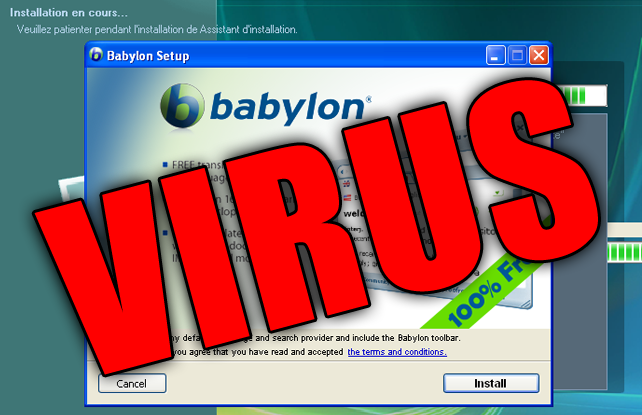
Do you have problem with Babylon search with your Mozilla Firefox? That was extremely annoying. So, let's get rid of it quickly. This is the most worked way to remove it.


STEPS

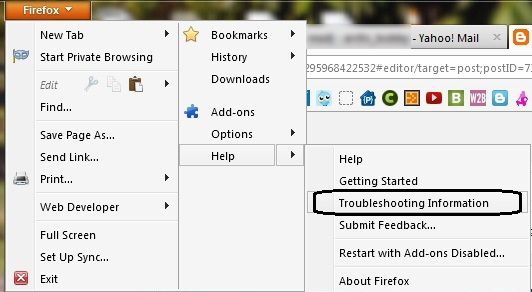
1. Go to Firefox tab -> Help -> Troubleshooting Information


2. Then, click on the "Reset Firefox"


3. Firefox will restart and will work perfectly after that.

Bye bye Babylon. :P

Leave your comment as appreciation.  :D

Sunday, June 3, 2012

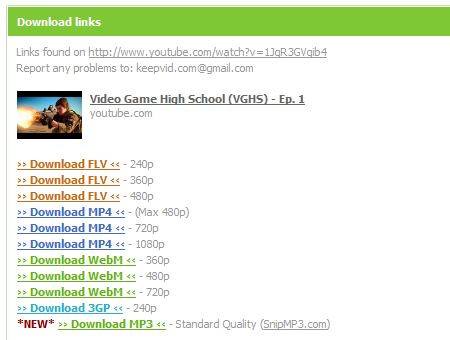
How To Download Youtube Video via Keepvid

Youtube now available in HD. If you find it's hard to watch the HD video cause it's stuck when buffering? The only way to watch it smoothly by downloading it and play it with your media player. Actually you can download any video on your browser using IDM because it has a video grabber. But if you find it is difficult, just learn this easy way. Download Youtube video via Keepvid.

1. Go to the Youtube video that you want to download.

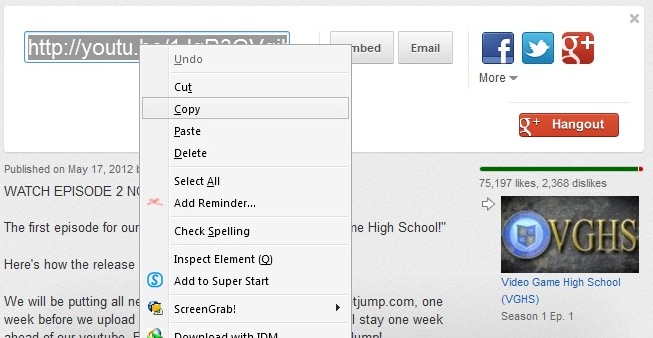
2. Then, copy the video URL;


3. Now, go to Keepvid.com

4. Paste the video URL in the download box provided and click 'DOWNLOAD'


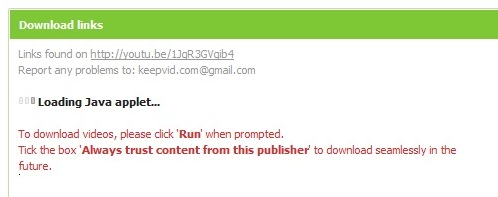
5. Click 'Run' when prompted. Tick the box 'Always trust content from thjis publisher' to start download.


6. Now, you good to download. Success!


Enjoy!

Thursday, May 17, 2012

How To Block Annoying Youtube Video Ads

This advertisement is so annoying because disturbing our passion to watch the video and need to wait for a few second. Actually, it took only 8-10 second before you can skip the ads. But if you wish to block the ads, this is for you.

For FIREFOX user:
Install AdBlock Video add-on HERE. Click the icon to turn ON/OFF Adblock Video.

ON: 
OFF:

Works for popular sites like CBS, ABC, NBC, Fox, and others!

Blocks repetitive and annoying ads, allowing you to enjoy your favorite shows without unnecessary interruptions!


For CHROME user:

Install this extension -  Skip ads on YouTube – No illegal block


*****

Now, no more ads. Enjoy! Share it to your friends!

Sunday, April 15, 2012

How To Bypass Adf.ly Links in Google Chrome

In the previously, we shared tutorial to bypass shortening service links such Adf.ly in Mozilla Firefox browser. Now, you can bypass Adf.ly links in Google Chrome too. Hey, why don't you register with Adf.ly? You can earn money by shrink your links. Register with Adf.ly here. And if someone use this method to bypass Adf.ly links, it still be count into your Adf.ly account. :D

STEPS:
1. Install this add-on for Chrome - Click here


2. Done! You can try it by go to this see if it's work. - http://adf.ly/7QKm3

Now, you don't need to wait 5 second and click on the "Skip Ad". It will redirect you to targeted link. Enjoy!

Saturday, April 14, 2012

How To Bypass Adf.ly, AdFoc, Ityim, Linkbucks Etc Links in Mozilla Firefox

As we know, Adf.ly is one of the most popular shortening link service which chosen by user all around the world to earn some money. Undoubtedly it is really good to earn monthly income for me as user of Adf.ly service. I highly recommend you to register with Adf.ly. Read this guide to register with Adf.ly.

But visitors hate this shortening link because have to wait for some time before redirect to the actual link. Also have to click on skip ad button. Now you can bypass links from shortening service such as Adf.ly, AdFoc, ityim, linkbucks, urlcash, adcraft etc in Firefox browser. Let's know how!

STEPS:
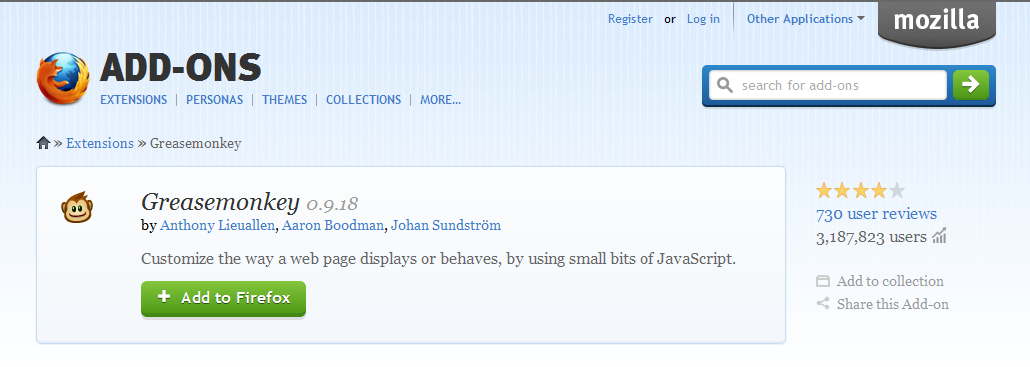
1. Install Greasemonkey add-on. Click here.


2. After that, install user script which is script to bypass those shortening link service.

3. Install AdsFight! userscript for Greasemonkey, Click here. (click Install on the right of the page)

Now you've done. You can try if it's work by click this links --> http://adf.ly/7QKm3


Note: Your Adf.ly links still will be count into your account if someone using this method to bypass your Adf.ly links. Win! :)

Share this tutorial!

Thursday, February 16, 2012

How To Bypass Survey To Continue Download in Most Website

This surveys always annoys user and make us not interested to download the file we want. It kills our interest. The site like sharecash use this surveymethod to earn some money. The surveys is look something like this:


You wanna get rid from this annoying survey? Actually it's really easy to bypass the freakin' survey. Let's know how.

BYPASS SURVEY
All you need to do is DISABLE JAVASCRIPT.

Mozilla - Go to Options ->> Content ->> Uncheck Enable Javascript.


Same goes to other browser. Just DISABLE JAVASCRIPT.

Easy aite! Enjoy your downloads! =)

Tuesday, February 14, 2012

How To Add Photo Zoom in Facebook

New way to view photo in Facebook, just using zoomer add-on. No need to click the photo to view it just hover your cursor to the photo and it will be zoom to 2x size.


With this add-on, shows full image when you hover over a thumbnail or image link. Works with many sites including Amazon.com, deviantART.com, Facebook.com, Flickr.com, Google Images, GMail.com, Google+, Reddit.com, Tumblr.com, Twitter.com, and more. Let's try this add-on. It's supports Chrome & Firefox browser. Get it now!

Add-on for CHROME
Add-on for FiREFOX


HOW TO USE
• Just install the add-on
• Once it finished, restart your browser
• Hover your cursor to any photo in Facebook.

Enjoy! 

Saturday, February 11, 2012

Add Super-Start into Mozilla Firefox

Super-Start also has a very intuitive interface for you to access your favorite web sites, like what SpeedDial or FastDial does. Just like in Google Chrome.


MORE ABOUT SUPER-START
FAQ
How to customize

Add Super-Start to Mozilla - SUPER-START

Enjoy this add-on for more fast browsing experience!  


Followers

Sponsor

 
Powered by Blogger.