Friday, January 20, 2012

How To Create Upside Down Text


Do you want your text upside down on Facebook? Who said writing upside down is difficult? It's really easy as ABC. This is the example:


ǝldɯɐxǝ

HOW TO MAKE UPSIDE DOWN TEXT

1. Go to this site:


2. Type the words that you want to put on Facebook, just copy-paste the word into Facebook.

3. Walla. Just like ABC. Done!

So, you can hide you word from your reader or friend from to be read directly.

How To Add Rollover Social Icons in Blogger

This social icon widget include Facebook, Twitter and RSS. When you hover your cursor into the icon,it will rollover. Now, you can add it to your blog. Let's know how.


STEPS
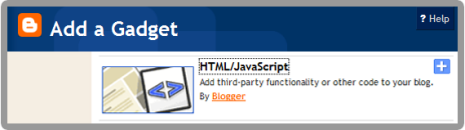
1. Go to your Dashboard >> Design >> Page Element >> Add a Gadget.


2. Paste this code in.
<center>
<a href=http://www.facebook.com/username target="_blank" onmouseover= "if (document.images) document.facebook.src= 'https://blogger.googleusercontent.com/img/b/R29vZ2xl/AVvXsEhhzQSOIFOjkPP_UraP8xXTmLE74qmnetsIZyI-h7pQmTqBIiOZO-VhY5oWDHK0RYtOEPIazfvh2cQBNjVWV9_yam5uHZHmS_0B0yU6_isjW-2TfUq9pl4f6vkyouPzZn4MipaazHF9kuV5/s1600/facebook.png';" onmouseout= "if (document.images) document.facebook.src= 'https://blogger.googleusercontent.com/img/b/R29vZ2xl/AVvXsEgUywM7lX9ozB5Vpp9-GnipfuH7pD6kCjzgujE3EF1NqyHTOupHhuWLoZWXhTECN67qbRF1FAVeVfS98rkvB45U91I1Bprr7OmyUn9xn0dmMf6WkYgmeQWFMDiV_RSo4qumBWRMnSSoybJe/s1600/facebook.png';"><img src="https://blogger.googleusercontent.com/img/b/R29vZ2xl/AVvXsEgUywM7lX9ozB5Vpp9-GnipfuH7pD6kCjzgujE3EF1NqyHTOupHhuWLoZWXhTECN67qbRF1FAVeVfS98rkvB45U91I1Bprr7OmyUn9xn0dmMf6WkYgmeQWFMDiV_RSo4qumBWRMnSSoybJe/s1600/facebook.png" name="facebook" border="0" width="64" height="82"/></a><a target="_blank" href=http://twitter.com/username onmouseover= "if (document.images) document.twitter.src= 'https://blogger.googleusercontent.com/img/b/R29vZ2xl/AVvXsEjIY0OIPhOtay-fF32zEgB8hL66E_2LJYnEI21COMhV2K72T9wvMHKkZzBXCJOmax7KrHuohg6ldGp_ikt413vH-tkT-i8diA2-UwCcnEXWb_iDr4EIrkkquOM9PTmhoeK_kCxJVJHA0N8X/s320/twitter.png';" onmouseout= "if (document.images) document.twitter.src= 'https://blogger.googleusercontent.com/img/b/R29vZ2xl/AVvXsEhOHEfRCUMME7HM9AB9K9rGVD6lT-gk8Pd-TXIZ7QyIcbAiMk2mqfckgtfAqHmaabVnabABYWWxPTr31uRnkFfkW3kXaMLkQ9c9Dn5IgjHjXo3aQCJRExyDtq0PAiAD4Y3mRiMoIrQ1UbEf/s1600/twitter.png';"><img src="https://blogger.googleusercontent.com/img/b/R29vZ2xl/AVvXsEhOHEfRCUMME7HM9AB9K9rGVD6lT-gk8Pd-TXIZ7QyIcbAiMk2mqfckgtfAqHmaabVnabABYWWxPTr31uRnkFfkW3kXaMLkQ9c9Dn5IgjHjXo3aQCJRExyDtq0PAiAD4Y3mRiMoIrQ1UbEf/s1600/twitter.png" name="twitter" border="0" width="64" height="82"/></a><a href=http://feeds.feedburner.com/username target="_blank" onmouseover= "if (document.images) document.rss.src= 'https://blogger.googleusercontent.com/img/b/R29vZ2xl/AVvXsEhpZMYB8lJ0O4ZPFLkrrBXI4cUdEMK9EcdZjkWzDGX4HXybv42hUZEA0C_JP6Cn0sf0Ry_cbQGfblPIL1uzmQOAtYg1o-v1LDIDk3e9jt-wx54dhJJsGD2BLopFhzLXVHS4S3BQsJetCq3c/s1600/rss.png';" onmouseout= "if (document.images) document.rss.src= 'https://blogger.googleusercontent.com/img/b/R29vZ2xl/AVvXsEihXZzH141zmZlKdpNsb3PLRmQkfaJSRUgAiKdOpeddH8wEcHNdoWXf_AUcNHXm5YewLX6hed5FT1uIs6VNo-6X0j9kE_0FlQzeyI9CCxzqkNdjtm9RP2auEhU99Lfn2pEhVMlfz1ATyzRm/s1600/rss.png';"><img src="https://blogger.googleusercontent.com/img/b/R29vZ2xl/AVvXsEihXZzH141zmZlKdpNsb3PLRmQkfaJSRUgAiKdOpeddH8wEcHNdoWXf_AUcNHXm5YewLX6hed5FT1uIs6VNo-6X0j9kE_0FlQzeyI9CCxzqkNdjtm9RP2auEhU99Lfn2pEhVMlfz1ATyzRm/s1600/rss.png" name="rss" border="0" width="64" height="82"/></a>
</center>

3. Replace the red code with your Facebook, Twitter and RSS URL.

4. Save. Finish! You're done.


Enjoy your rollover social icon guys! :)

Thursday, January 19, 2012

How To Add jQuery Scroll To Top Widget in Blogger

This widget is made your visitor to easier scroll to top of the page by click on it. It's nice and smooth. It only show up when you scroll the page. I also put this widget in HOW-TO HOUSE. So, let's add it now.

Add the Scroll to top jQuery script

1. Go to Dashboard ->> Design ->>; Edit HTML

2. Search this code (Ctrl + F), </head>

3. Then, paste the code below after </head>
<script src='https://ajax.googleapis.com/ajax/libs/jquery/1.6.1/jquery.min.js' type='text/javascript'/>
<style type='text/css'>#w2btoTop {display:none;text-decoration:none;position:fixed;bottom:10px;right:10px;overflow:hidden;width:51px;height:51px;border:none;text-indent:-999px;background:url(https://blogger.googleusercontent.com/img/b/R29vZ2xl/AVvXsEiA3kSYAOIhjCyyLUPiKjRDS5S5Up39GbMICwRQLwYDV1GYJUGXkdQXQrXloh7_dZFxBNA4g7zqSiHEiqZyDBs7RBySjWbfpL1h6lMDrTJRLEx9RvM86uB9u803uE_MYjfDQAGNTLnM-c03/) no-repeat left top;}#w2btoTopHover {background:url(https://blogger.googleusercontent.com/img/b/R29vZ2xl/AVvXsEiA3kSYAOIhjCyyLUPiKjRDS5S5Up39GbMICwRQLwYDV1GYJUGXkdQXQrXloh7_dZFxBNA4g7zqSiHEiqZyDBs7RBySjWbfpL1h6lMDrTJRLEx9RvM86uB9u803uE_MYjfDQAGNTLnM-c03/) no-repeat left -51px;width:51px;height:51px;display:block;overflow:hidden;float:left;opacity: 0;-moz-opacity: 0;filter:alpha(opacity=0);}#w2btoTop:active, #w2btoTop:focus {outline:none;}</style><script src='http://bloggerblogwidgets.googlecode.com/files/w2b_jquery.ui.totop.js' type='text/javascript'/><script type='text/javascript'>$(document).ready(function(){ $().UItoTop({ easingType: &#39;easeOutCubic&#39; }); }); </script> 

4. Save your template.

Refresh your blog to see the result. Finish!

Protest on SOPA: Internet Blackout

The sites which protest against the SOPA (Stop Online Piracy Act). What is SOPA about? Read here. This sites blackout their site. The sites is included Wikipedia, Google, Firefox, Twitpic, Wordpress, Flickr, OpenDNS.


The online SOPA/PIPA protest (internet blackout) ends....for now.

The Wikipedia blackout is over — and you have spoken.

More than 162 million people saw our message asking if you could imagine a world without free knowledge. You said no. You shut down Congress’s switchboards. You melted their servers. From all around the world your messages dominated social media and the news. Millions of people have spoken in defense of a free and open Internet. For us, this is not about money. It’s about knowledge. As a community of authors, editors, photographers, and programmers, we invite everyone to share and build upon our work.

Our mission is to empower and engage people to document the sum of all human knowledge, and to make it available to all humanity, in perpetuity. We care passionately about the rights of authors, because we are authors. SOPA and PIPA are not dead: they are waiting in the shadows. What’s happened in the last 24 hours, though, is extraordinary. The internet has enabled creativity, knowledge, and innovation to shine, and as Wikipedia went dark, you've directed your energy to protecting it.

We’re turning the lights back on. Help us keep them shining brightly.

[source]

Monday, January 16, 2012

10 Reasons To Earn Money with FANBOX


Click on the image above for 10 Reasons to earn money with Fanbox. It's awesome. Fanbox is the best.

+ Any question? Leave your comment. (^_^)


Followers

Sponsor

 
Powered by Blogger.