Sunday, June 3, 2012

How To Download Youtube Video via Keepvid

Youtube now available in HD. If you find it's hard to watch the HD video cause it's stuck when buffering? The only way to watch it smoothly by downloading it and play it with your media player. Actually you can download any video on your browser using IDM because it has a video grabber. But if you find it is difficult, just learn this easy way. Download Youtube video via Keepvid.

1. Go to the Youtube video that you want to download.

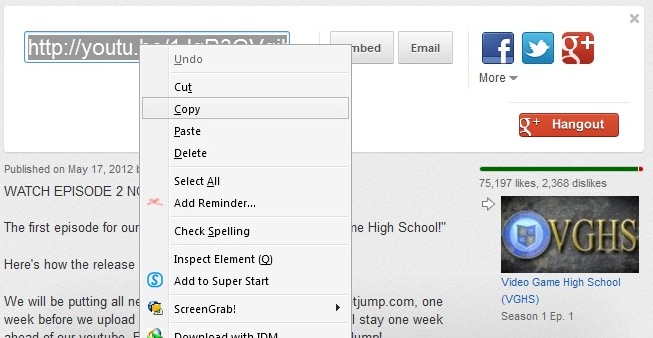
2. Then, copy the video URL;

3. Now, go to Keepvid.com

4. Paste the video URL in the download box provided and click 'DOWNLOAD'


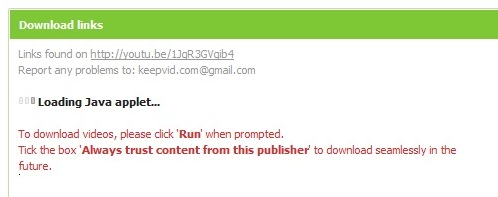
5. Click 'Run' when prompted. Tick the box 'Always trust content from thjis publisher' to start download.

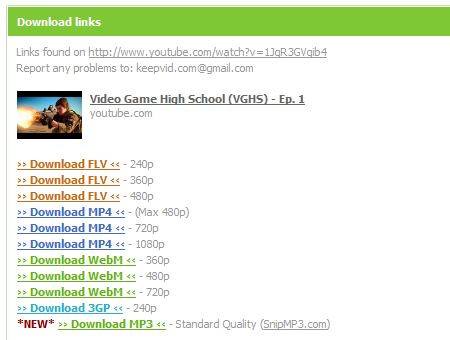
6. Now, you good to download. Success!

Enjoy!

Friday, June 1, 2012

How To Create Screenshot with Media Player Classic (MPC)

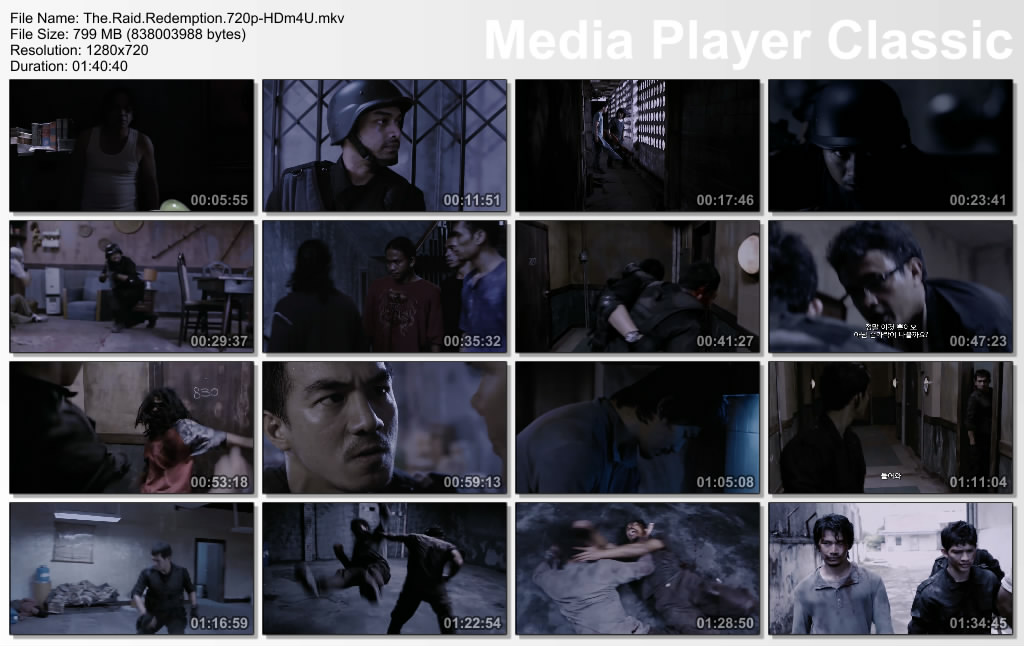
Have you seen screenshot like this?


You wanna create it yourself? It's easy. Just using your Media Player Classic. Easily follow this steps.

1. Of course you need to have Media Player Classic (MPC). Download it here.

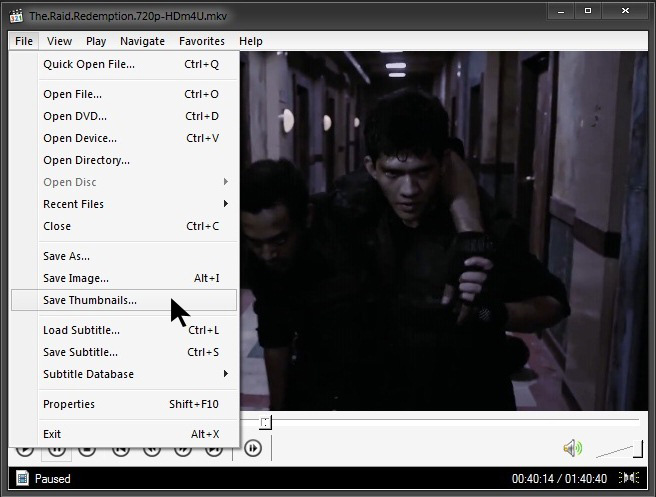
2. Play any movie that you want to take a screenshot. Then, go to File tab --> Save Thumbnails


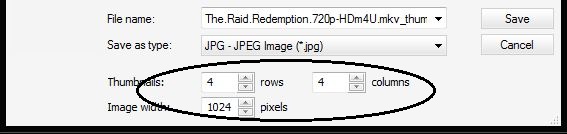
3. Then, you can customize the amount of thumbnails, columns or image width. Don't forget to set directory where you want to save the screenshot.


4. When you finish customizing, just click Save.

Finish!

You can create a screenshot of any film with MPC. Have a nice day! =)

Thursday, May 24, 2012

How To Fix Multiple Networks at Startup But No Internet Access

Can't connect to the internet because it's showing as being connected to multiple networks? A Home network and an Unidentified network.  When you facing this problem, just follow this tutorial.

Apparently there is an Apple program called "Bonjour Services" it is installed in Windows 7 with programs like iTunes. It is also installed with Adobe PS3 programs but usually shows up as ##Id_String1.6844F930_1628_4223_B5CC_5BB94B879762## in Adobe.

To see if you have the Bonjour service or ##Id_String1.6844F930_1628_4223_B5CC_5BB94B879762## running on your PC.

1. Click Start Right-click "Computer" and select "Manage".
2. Expand "Services and Applications" -> "Services".
3. Find the Bonjour name or ##Id_String1.6844F930_1628_4223_B5CC_5BB94B879762## in the list of services.
4. Double-click this to open up a Window.
5. Under the General Tab next to Start-up Type Select Disabled from the drop down.
6. Finish!

Now test and see if you still have connectivity issues. Good luck!


credit: w7forum.com

Thursday, May 17, 2012

How To Block Annoying Youtube Video Ads

This advertisement is so annoying because disturbing our passion to watch the video and need to wait for a few second. Actually, it took only 8-10 second before you can skip the ads. But if you wish to block the ads, this is for you.

For FIREFOX user:
Install AdBlock Video add-on HERE. Click the icon to turn ON/OFF Adblock Video.

ON: 
OFF:

Works for popular sites like CBS, ABC, NBC, Fox, and others!

Blocks repetitive and annoying ads, allowing you to enjoy your favorite shows without unnecessary interruptions!


For CHROME user:

Install this extension -  Skip ads on YouTube – No illegal block


*****

Now, no more ads. Enjoy! Share it to your friends!

Sunday, April 15, 2012

How To Bypass Adf.ly Links in Google Chrome

In the previously, we shared tutorial to bypass shortening service links such Adf.ly in Mozilla Firefox browser. Now, you can bypass Adf.ly links in Google Chrome too. Hey, why don't you register with Adf.ly? You can earn money by shrink your links. Register with Adf.ly here. And if someone use this method to bypass Adf.ly links, it still be count into your Adf.ly account. :D

STEPS:
1. Install this add-on for Chrome - Click here


2. Done! You can try it by go to this see if it's work. - http://adf.ly/7QKm3

Now, you don't need to wait 5 second and click on the "Skip Ad". It will redirect you to targeted link. Enjoy!


Followers

Sponsor

 
Powered by Blogger.